



Replace your outdated site with expert transportation web design. Get stunning, optimized, and high-converting solutions today!
Transportation Web Design
In the fast-paced transportation industry, having a well-designed website is not just an option—it’s a necessity. Your website serves as the digital storefront for your business, making a powerful first impression on potential customers and providing a seamless experience for existing ones. This section will explore effective strategies, actionable tips, and proven best practices to help you master transportation web design. Whether you’re creating a site for a logistics company, a towing service, or a broader transportation network, the following insights will set the foundation for success.
What is Transportation Web Design?
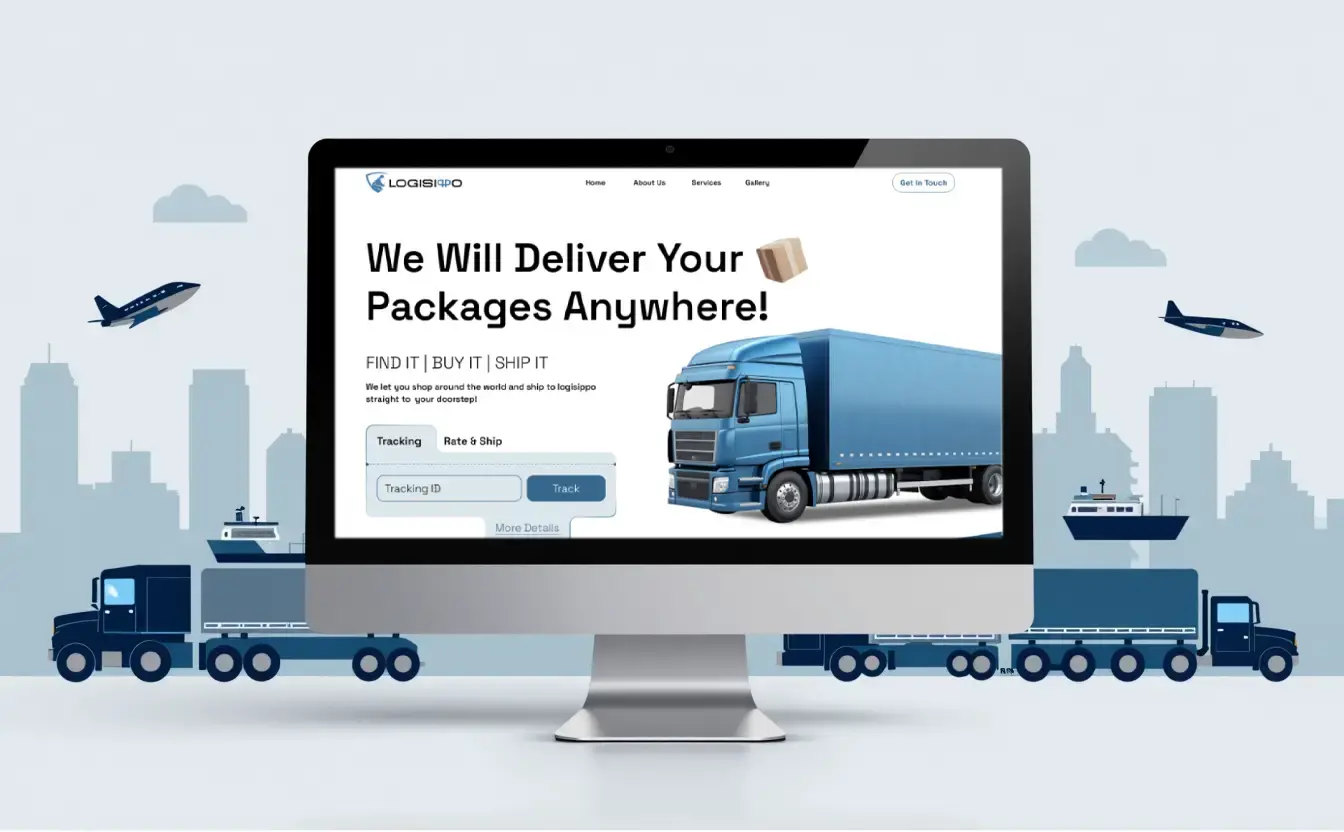
Transportation web design refers to creating websites specifically tailored to meet the unique needs of transportation and logistics businesses. This includes integrating industry-specific features like shipment tracking, route optimization tools, and dynamic booking systems. A well-executed design not only enhances user experience but also boosts SEO, drives traffic, and converts visitors into loyal customers.
Key Focus Areas in Transportation Web Design:
- User-Centric Design: A website should be easy to navigate, with intuitive menus and clear calls to action (CTAs).
- Mobile Optimization: Over 70% of users browse on mobile devices, making responsive design crucial.
- Custom Features: Tools such as rate calculators, scheduling systems, and real-time updates ensure your website stands out.
- SEO Optimization: Using keywords like transportation web design, towing website design, and website design for logistics companies strategically improves search engine visibility.
Strategies for Effective Transportation Web Design
1. Know Your Audience
Understanding the target demographic for your transportation services is vital. Are you targeting businesses looking for logistics solutions or individuals needing towing services? Tailor the content and design accordingly.
2. Prioritize Functionality
The functionality of your website directly impacts user satisfaction. Ensure features like shipment tracking, location-based services, and online booking systems are easy to use and reliable.
3. Invest in Quality Visual Design
High-quality visuals and professional layouts help build trust. Use transportation-related imagery, clean typography, and a cohesive color palette that resonates with your brand identity.
4. Incorporate Analytics and Feedback Loops
Utilize analytics tools like Google Analytics to monitor traffic patterns, user behavior, and conversion rates. Regularly update your design based on user feedback to improve performance.
Tips for Enhancing Transportation Web Design
Tip #1: Optimize for Speed
A slow-loading website drives visitors away. Use tools like Google PageSpeed Insights to evaluate your website’s load time and optimize it by compressing images, using efficient coding practices, and enabling browser caching.
Tip #2: Make Navigation Simple
A clutter-free and well-structured navigation bar is essential for guiding users to the right information quickly. For example:
<nav class="navbar">
    <ul>
        <li><a href="/services">Services</a></li>
        <li><a href="/tracking">Track Shipment</a></li>
        <li><a href="/contact">Contact Us</a></li>
    </ul>
</nav>
Tip #3: Use Clear CTAs
Strategically place CTAs like “Get a Quote,” “Book Now,” or “Track Shipment” to guide users through the conversion process. Ensure these buttons stand out visually.
Best Practices for Transportation Web Design
Best Practice #1: Focus on Mobile-First Design
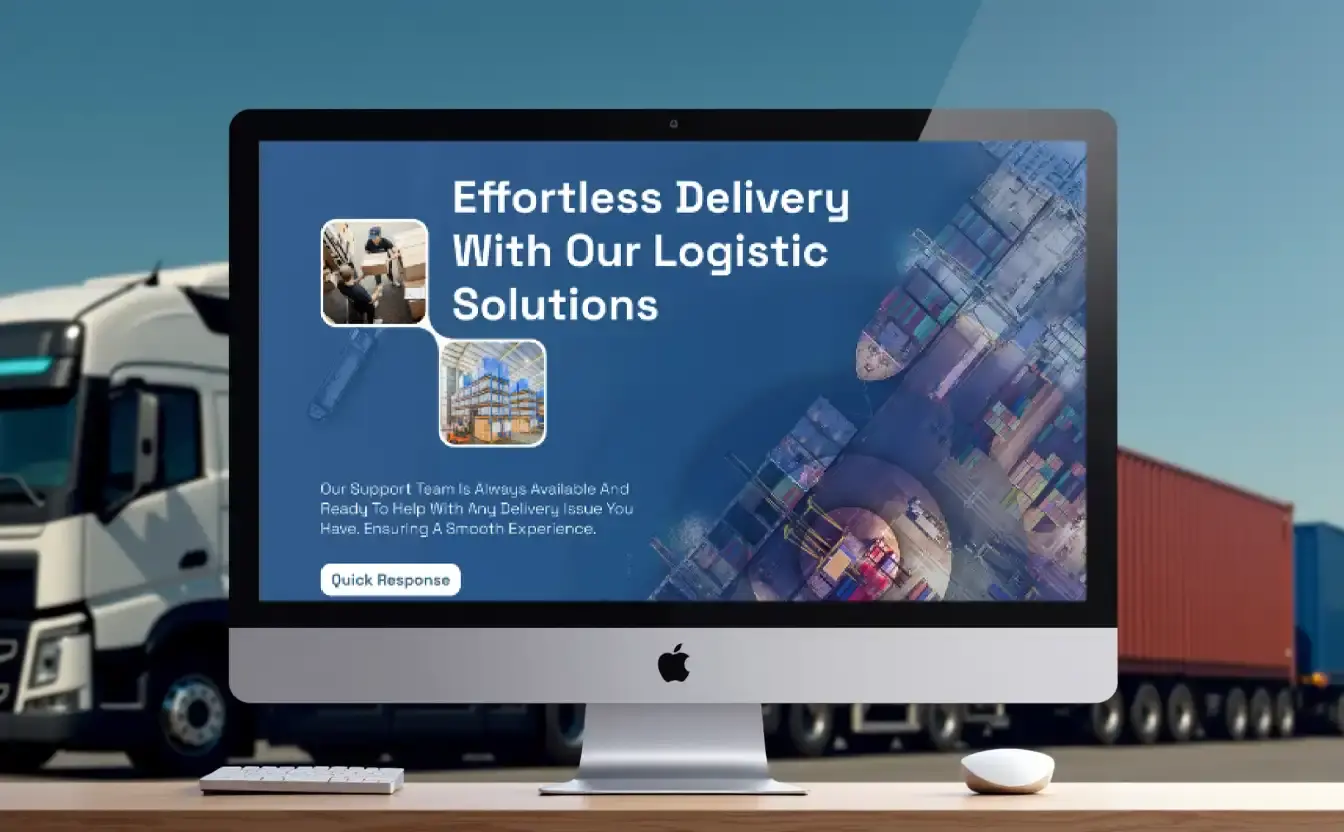
A significant portion of your audience will access your website via smartphones. A mobile-friendly design ensures that your site is accessible to all users. Here’s a quick CSS snippet for responsive design:
@media screen and (max-width: 768px) {
    .navbar ul {
        flex-direction: column;
        text-align: center;
    }
    .content {
        padding: 10px;
    }
}
Best Practice #2: Leverage SEO for Visibility
Incorporate the main keyword transportation web design and additional keywords like towing website design and website design for logistics companies in the following areas:
- Title tags
- Meta descriptions
- Heading tags (H2, H3)
- Image alt text
Best Practice #3: Integrate Real-Time Data
Real-time tracking features are a must for modern transportation websites. Whether it’s shipment status updates or tow truck availability, integrating APIs can significantly enhance user experience.
Understanding the Importance of Transportation Web Design
The transportation industry is highly competitive, requiring businesses to stand out and provide value to their customers. A well-designed website acts as the cornerstone of your online presence, offering a platform to showcase your services, connect with clients, and manage operations efficiently. This section delves into why having a professional website matters for transportation businesses and highlights the key features that every effective transportation website should have.
Why a Professional Website Matters for Transportation Businesses
A professional website is essential for establishing trust and credibility in the transportation industry. It serves as a virtual storefront, offering visitors a glimpse of your services, operational standards, and brand identity. Here’s why it’s critical:
- First Impressions Matter: Your website is often the first point of contact for potential customers. A visually appealing and well-structured website communicates professionalism and reliability.
- Streamlines Operations: With features like online booking systems, shipment tracking, and dynamic scheduling tools, your website can handle many routine customer interactions, saving time and resources.
- Boosts SEO and Visibility: A website optimized for transportation web design ensures higher rankings in search engines, increasing the likelihood that potential clients will find your business.
- Improves Customer Engagement: Features such as live chat support, FAQs, and service calculators make it easier for customers to get the information they need, enhancing their overall experience.
- Establishes Your Brand Identity: A professionally designed website reflects your company’s values, services, and expertise, helping you differentiate from competitors in the market.
Key Features of an Effective Transportation Website
To make a lasting impression and deliver value to your customers, your transportation website must include several essential features. Here’s what every effective website should prioritize:
Mobile Responsiveness
With mobile devices accounting for a significant portion of web traffic, your website must perform seamlessly on smaller screens. A responsive design ensures that all elements—text, images, and interactive tools—adjust dynamically to different screen sizes. Here’s a CSS example for mobile responsiveness:
body {
    font-family: Arial, sans-serif;
    margin: 0;
    padding: 0;
}
.container {
    width: 100%;
    max-width: 1200px;
    margin: 0 auto;
    padding: 20px;
}
@media screen and (max-width: 768px) {
    .container {
        padding: 10px;
    }
    .navbar {
        flex-direction: column;
        align-items: center;
    }
}
Easy Navigation
Clear and intuitive navigation enhances user experience, making it easier for visitors to find the information they need. Include a structured menu with links to key sections like services, contact information, and tracking tools. Example HTML for a navigation bar:
<nav class="navbar">
    <ul>
        <li><a href="#services">Services</a></li>
        <li><a href="#tracking">Track Your Shipment</a></li>
        <li><a href="#contact">Contact Us</a></li>
    </ul>
</nav>
Dynamic Booking Systems
Allowing customers to book services directly through your website streamlines the client onboarding process. Whether it’s booking a freight shipment or scheduling a towing service, a dynamic booking system is a game-changer. Example of a booking form with JavaScript:
<form id="bookingForm">
    <label for="serviceType">Select Service:</label>
    <select id="serviceType" name="serviceType">
        <option value="freight">Freight Transport</option>
        <option value="towing">Towing Service</option>
        <option value="logistics">Logistics Management</option>
    </select>
    <label for="date">Select Date:</label>
    <input type="date" id="date" name="date" required>
    <button type="submit">Book Now</button>
</form>
<script>
    document.getElementById('bookingForm').addEventListener('submit', function(e) {
        e.preventDefault();
        alert("Your booking has been submitted!");
    });
</script>
Integration with Logistics Management Tools
Incorporating logistics tools into your website can enhance efficiency for businesses offering complex transportation services. These tools allow clients to track shipments, calculate costs, and receive updates in real time. Example of a shipment tracking feature:
<form id="trackingForm">
    <label for="trackingNumber">Enter Tracking Number:</label>
    <input type="text" id="trackingNumber" name="trackingNumber" placeholder="Tracking Number" required>
    <button type="submit">Track</button>
</form>
<div id="trackingStatus"></div>
<script>
    document.getElementById('trackingForm').addEventListener('submit', function(e) {
        e.preventDefault();
        const trackingNumber = document.getElementById('trackingNumber').value;
        document.getElementById('trackingStatus').innerText = "Tracking shipment with number: " + trackingNumber;
    });
</script>
By incorporating these features into your transportation web design, you ensure that your website is not only visually appealing but also functional and user-friendly. Each of these elements plays a crucial role in driving engagement, improving customer satisfaction, and ensuring the success of your business in the transportation industry.
Essential Elements of a High-Converting Transportation Website
A high-converting transportation website not only attracts visitors but also encourages them to take specific actions, such as booking a service or requesting a quote. The design and functionality of your website play a critical role in achieving this. In this section, we explore the essential visual and functional design elements that make a transportation website effective, including practical examples and sample code.
Visual Design Principles for Transportation Websites
The visual appeal of your website significantly influences a visitor’s first impression. Clean, professional designs convey trust and competence, while cluttered or outdated designs can deter users. Below are the key visual design principles to follow.
The Role of Color Schemes, Typography, and Layout
- Color Schemes: Use industry-relevant colors that align with your brand. For transportation businesses, shades of blue, gray, or green can convey trust, reliability, and eco-consciousness.
- Typography: Choose readable fonts with appropriate sizes. Avoid overly decorative fonts for key content areas.
- Layout: Implement a clean, grid-based layout that guides the user’s attention to important areas, such as CTAs and service descriptions.
Examples of Visually Appealing Transportation Web Design
- A homepage with a full-width banner showcasing a dynamic image of your services (e.g., fleets, shipping containers).
- Highlighted CTAs, such as “Track Shipment” or “Get a Quote,” displayed prominently above the fold.
- Clean navigation with minimalistic dropdown menus.
Sample Code: CSS for Eye-Catching Navigation Menus
Below is an example of CSS for creating a visually appealing navigation bar:
.navbar {
    background-color: #003366; /* Navy blue for reliability */
    font-size: 18px;
    color: #fff;
    padding: 10px 20px;
}
.navbar a {
    color: #fff;
    text-decoration: none;
    margin-right: 15px;
    padding: 5px 10px;
    border-radius: 4px;
    transition: background-color 0.3s, color 0.3s;
}
.navbar a:hover {
    color: #ffcc00; /* Bright yellow for a striking hover effect */
    background-color: #001f4d; /* Darker navy blue for contrast */
}
Functional Design Features
Beyond aesthetics, functionality is the backbone of a high-performing transportation website. Users expect tools and features that make their interactions seamless and efficient.
Incorporating Route Tracking, Price Calculators, and Service Filters
- Route Tracking: Allow customers to monitor the status and location of their shipments in real-time.
- Price Calculators: Provide dynamic price estimation tools based on distance, weight, or service type.
- Service Filters: Make it easy for users to find relevant services using search and filter options.
Sample Code: HTML/JS for a Service Search Filter
Below is an example of a simple yet effective search filter for your transportation services:
<!-- HTML Structure -->
<input type="text" id="serviceSearch" placeholder="Search Services">
<ul id="serviceList">
    <li>Freight Transport</li>
    <li>Vehicle Towing</li>
    <li>Logistics Management</li>
    <li>Courier Services</li>
    <li>International Shipping</li>
</ul>

<!-- JavaScript for Filtering -->
<script>
    const search = document.getElementById('serviceSearch');
    const list = document.getElementById('serviceList');

    search.addEventListener('input', () => {
        const query = search.value.toLowerCase();
        [...list.children].forEach(item => {
            item.style.display = item.textContent.toLowerCase().includes(query) ? '' : 'none';
        });
    });
</script>
How it works:
- The search input field captures user queries.
- The JavaScript dynamically filters the list of services based on the query, displaying only matching results.
How SEO Impacts Transportation Web Design

Search engine optimization (SEO) is a critical component of transportation web design. A well-optimized website not only attracts organic traffic but also positions your transportation business as a reliable and visible solution for potential clients. In this section, we’ll explore the role of SEO in transportation websites, share best practices, and provide practical implementation examples.
The Role of SEO in Transportation Websites
SEO is essential for ensuring your transportation website ranks highly in search engine results pages (SERPs). This visibility helps attract customers searching for services like logistics management, freight transport, or towing. Here’s how SEO directly impacts your website:
- Increased Organic Traffic: Strategic use of keywords like transportation web design, towing website design, and website design for logistics companies helps your website appear for relevant search queries.
- Improved User Experience: Fast-loading pages, mobile responsiveness, and accessible content contribute to better SEO rankings and enhanced user satisfaction.
- Higher Conversion Rates: SEO attracts qualified leads who are actively searching for transportation services, increasing the likelihood of conversions.
SEO Best Practices for Transportation Websites
Implementing SEO strategies for a transportation website requires a mix of on-page, technical, and off-page optimization techniques.
1. On-Page SEO
On-page SEO focuses on optimizing individual pages for target keywords to enhance visibility. Key steps include:
- Keyword Placement: Include your primary keyword (transportation web design) in the page title, meta description, headers, and throughout the content. Example:htmlКопіювати код
<title>Transportation Web Design Services | Optimize Your Business</title>
<meta name="description" content="Professional transportation web design services to elevate your business. Offering logistics, towing, and corporate website solutions.">
Image Optimization: Use descriptive file names and alt text for images. Example:
<img src="freight-transport-truck.jpg" alt="Freight transport truck on a highway">
Internal Linking: Connect related pages on your website to improve navigation and distribute link equity. Example:
<a href="/services/logistics-management">Learn more about our Logistics Management Services</a>
Technical SEO
Technical SEO ensures that your website is crawlable, fast, and secure. Focus on:
- Page Speed Optimization: Reduce load times with techniques like image compression, caching, and code minification.
- Mobile-Friendliness: Ensure your website adapts seamlessly to all devices. Use tools like Google’s Mobile-Friendly Test.
- Schema Markup: Enhance search engines’ understanding of your website’s content. Example:
{
  "@context": "https://schema.org",
  "@type": "TransportationService",
  "name": "Pro Transportation Services",
  "url": "https://webfly.us",
  "description": "High-quality transportation and logistics services tailored to your needs.",
  "areaServed": "United States"
}
Off-Page SEO
Off-page SEO involves actions taken outside your website to improve authority and rankings. Examples include:
- Building backlinks from reputable industry websites.
- Engaging in local SEO by creating a Google My Business profile.
- Sharing content and updates on social media platforms.
Practical Implementation of SEO for Transportation Websites
Optimizing for Local Searches

Transportation businesses often operate regionally or locally, making local SEO critical. Use tools like Google My Business to enhance your local presence and include location-based keywords in your content. Example:
<title>Transportation Services in New York | Reliable Freight and Towing</title>
<meta name="description" content="Looking for transportation services in New York? We offer freight shipping, towing, and logistics solutions tailored to your needs.">
Building Content Around Keywords
Create blog posts, guides, or service pages using keywords like towing website design or website design for logistics companies. This increases your website’s relevance and authority in the transportation niche. Example blog topics:
- “10 Features of an Effective Logistics Company Website”
- “Why Towing Website Design is Essential for Business Growth”
Sample Code: XML Sitemap for Improved Crawling
An XML sitemap helps search engines find and index your website’s pages effectively:
<urlset xmlns="http://www.sitemaps.org/schemas/sitemap/0.9">
    <url>
        <loc>https://webfly.us/</loc>
        <lastmod>2025-01-11</lastmod>
        <priority>1.0</priority>
    </url>
    <url>
        <loc>https://webfly.us/services/transportation-web-design</loc>
        <lastmod>2025-01-10</lastmod>
        <priority>0.8</priority>
    </url>
    <url>
        <loc>https://webfly.us/contact</loc>
        <lastmod>2025-01-09</lastmod>
        <priority>0.7</priority>
    </url>
</urlset>
Key Takeaways
Implementing SEO strategies tailored to transportation web design ensures your website ranks higher in SERPs, attracts more customers, and boosts your business’s overall success. By focusing on both technical and content-based SEO, your transportation website can achieve long-term visibility and growth.
Developing a User-Friendly Transportation Website
Creating a user-friendly website is key to ensuring visitors can quickly and efficiently access the information or services they need. For transportation businesses, this means prioritizing intuitive design, accessibility, and seamless functionality. In this section, we’ll explore strategies to optimize the user journey, meet accessibility standards, and deliver an outstanding user experience.
Optimizing the User Journey
The user journey refers to the path a visitor takes from arriving on your website to completing an action, such as booking a service or contacting your team. To optimize this journey, focus on reducing friction and guiding users with clear CTAs and streamlined navigation.
Strategies for a Smooth User Journey
- Clear Navigation: Use a well-organized menu to help users find what they’re looking for quickly. Place the most important links (e.g., “Services,” “Track Shipment,” and “Contact Us”) prominently.
- Engaging CTAs: Use actionable text like “Get a Free Quote” or “Book Now” to guide users toward desired actions. Position CTAs above the fold and throughout your pages.
- Logical Content Flow: Structure content hierarchically, starting with the most critical information. Use headings, bullet points, and whitespace to improve readability.
Example: Simple Service Booking Flow
A clean and simple booking flow can significantly improve user experience:
<form id="bookingFlow">
    <h2>Book a Service</h2>
    <label for="serviceType">Choose a Service:</label>
    <select id="serviceType" name="serviceType" required>
        <option value="freight">Freight Transport</option>
        <option value="towing">Towing Service</option>
        <option value="logistics">Logistics Management</option>
    </select>
    <label for="pickupLocation">Pickup Location:</label>
    <input type="text" id="pickupLocation" name="pickupLocation" placeholder="Enter location" required>
    <label for="deliveryLocation">Delivery Location:</label>
    <input type="text" id="deliveryLocation" name="deliveryLocation" placeholder="Enter location" required>
    <button type="submit">Submit Booking</button>
</form>
<script>
    document.getElementById('bookingFlow').addEventListener('submit', function(event) {
        event.preventDefault();
        alert('Booking submitted successfully!');
    });
</script>
Accessibility Standards
Accessibility ensures that your website is usable for all visitors, including those with disabilities. Meeting accessibility standards not only improves user experience but also expands your audience and complies with legal regulations.
WCAG Compliance for Transportation Websites
The Web Content Accessibility Guidelines (WCAG) provide a framework for accessible website design. Key principles include:
- Perceivable: Use text alternatives for non-text content like images or icons.
- Operable: Ensure all interactive elements (e.g., forms, buttons) are usable via keyboard.
- Understandable: Create clear and simple navigation and instructions.
- Robust: Use semantic HTML to ensure compatibility with assistive technologies.
Sample Code: ARIA Attributes for Accessibility
ARIA (Accessible Rich Internet Applications) attributes enhance accessibility:
<button aria-label="Start Tracking Your Shipment">Track Shipment</button>
<input type="text" aria-label="Enter your tracking number" placeholder="Tracking Number">
<nav role="navigation" aria-label="Main Menu">
    <ul>
        <li><a href="/services">Services</a></li>
        <li><a href="/tracking">Track Shipment</a></li>
        <li><a href="/contact">Contact Us</a></li>
    </ul>
</nav>
Checklist for Accessibility Compliance
- Provide descriptive alt text for images.
- Use headings logically (H1 for titles, H2-H6 for subheadings).
- Ensure sufficient contrast between text and background colors.
- Include captions for videos and transcripts for audio content.
Advanced Features for Transportation Websites
To stand out in the competitive transportation industry, your website must go beyond basic functionality and integrate advanced features that enhance user experience and streamline operations. In this section, we’ll explore the integration of logistics and towing platforms, leveraging data-driven insights, and using APIs for real-time updates.
Integration with Logistics and Towing Platforms
A robust transportation web design includes seamless integration with logistics tools and towing platforms. These integrations can enhance your website’s efficiency and provide users with real-time access to critical information.
Logistics Integration
- Real-Time Shipment Tracking: Allow customers to monitor their shipments with GPS-enabled tracking tools.
- Route Optimization: Integrate route planning APIs to provide estimated delivery times and optimized paths.
- Fleet Management: Connect your website to fleet management systems to display vehicle availability and schedules.
Towing Platform Features
- Service Availability: Display nearby towing services based on user location.
- Dynamic Pricing: Use algorithms to calculate towing fees based on distance, time, and location.
- Emergency Alerts: Include real-time notifications for urgent towing requests.
Sample Code: API Integration for Shipment Tracking
Here’s an example of how to integrate a shipment tracking API:
<form id="trackShipment">
    <label for="trackingID">Enter Your Tracking ID:</label>
    <input type="text" id="trackingID" placeholder="Tracking ID" required>
    <button type="submit">Track Shipment</button>
</form>
<div id="trackingResult"></div>

<script>
    document.getElementById('trackShipment').addEventListener('submit', async function(event) {
        event.preventDefault();
        const trackingID = document.getElementById('trackingID').value;
        const response = await fetch(`https://api.example.com/track?trackingID=${trackingID}`);
        const data = await response.json();
        document.getElementById('trackingResult').innerHTML = `
            <p>Status: ${data.status}</p>
            <p>Location: ${data.location}</p>
        `;
    });
</script>
Data-Driven Insights
Using analytics and data visualization tools can help improve your website’s performance and provide valuable insights into user behavior.
Key Benefits of Data Integration
- User Engagement Tracking: Monitor which services users interact with the most.
- Conversion Rate Optimization: Identify bottlenecks in the booking or inquiry process.
- Predictive Analytics: Forecast demand for specific services during peak seasons.
Sample Code: Embedding Google Analytics
Add the following snippet to your website to track user behavior:
<script async src="https://www.googletagmanager.com/gtag/js?id=UA-XXXXXX-X"></script>
<script>
    window.dataLayer = window.dataLayer || [];
    function gtag(){dataLayer.push(arguments);}
    gtag('js', new Date());
    gtag('config', 'UA-XXXXXX-X'); // Replace with your Google Analytics ID
</script>
Data Visualization Example
Display analytics data in a user-friendly dashboard:
<canvas id="userStats" width="400" height="200"></canvas>
<script>
    const ctx = document.getElementById('userStats').getContext('2d');
    const chart = new Chart(ctx, {
        type: 'bar',
        data: {
            labels: ['Service A', 'Service B', 'Service C'],
            datasets: [{
                label: 'User Engagement',
                data: [65, 59, 80],
                backgroundColor: ['#003366', '#006699', '#0099CC']
            }]
        },
        options: {
            scales: {
                y: { beginAtZero: true }
            }
        }
    });
</script>
Advanced Real-Time Data Features
Incorporating real-time data improves user experience and operational transparency.
Examples of Real-Time Data Use Cases
- Live Fleet Tracking: Show the current location of your fleet on an interactive map.
- Service Availability: Update users about service availability dynamically based on capacity.
- Weather Updates: Display weather conditions that could affect transportation schedules.
Sample Code: Live Fleet Tracking with Google Maps API
Here’s an example of how to integrate Google Maps to display real-time fleet locations:
<div id="map" style="height: 400px; width: 100%;"></div>
<script>
    function initMap() {
        const map = new google.maps.Map(document.getElementById('map'), {
            zoom: 10,
            center: { lat: 37.7749, lng: -122.4194 } // Default center location
        });
        const fleetLocations = [
            { lat: 37.7749, lng: -122.4194 },
            { lat: 37.8044, lng: -122.2712 }
        ];
        fleetLocations.forEach(location => {
            new google.maps.Marker({
                position: location,
                map: map
            });
        });
    }
</script>
<script async src="https://maps.googleapis.com/maps/api/js?key=YOUR_API_KEY&callback=initMap"></script>
Cost-Efficient Transportation Web Design
Creating a professional, functional, and visually appealing transportation website doesn’t have to break the bank. By leveraging scalable solutions, open-source tools, and strategic budgeting, transportation businesses can build high-quality websites without overspending. This section explores cost-efficient strategies for developing a transportation website, including tools, frameworks, and tips for maintaining quality on a budget.
Budgeting for Your Website
How to Allocate Your Budget
- Prioritize Core Features: Focus your resources on must-have features such as online booking systems, shipment tracking, and responsive design.
- Invest in Custom Design Where It Matters: Use templates for less critical pages and allocate budget for custom designs on high-traffic pages like the homepage or service pages.
- Choose Scalable Solutions: Opt for platforms and tools that can grow with your business needs.
Cost-Saving Tips
- Use free or affordable website builders such as WordPress or Wix if you have a limited budget.
- Hire freelance developers or small agencies for cost-effective customizations.
- Take advantage of open-source plugins for additional functionality.
Open-Source Tools and Frameworks
Benefits of Open-Source Solutions
Open-source tools offer robust functionality at little to no cost, making them ideal for budget-conscious projects. They’re also highly customizable, allowing you to tailor your website to meet specific needs.
Recommended Tools for Transportation Websites
- WordPress with Plugins
- WooCommerce: For booking and payment systems.
- Yoast SEO: To optimize content for search engines.
- WPForms: For creating forms like shipment tracking or service inquiries.
- Django or Laravel Frameworks
- Ideal for building custom features like logistics tracking and dynamic pricing.
- OpenLayers or Leaflet.js
- Use for creating interactive maps and route tracking functionalities.
Leveraging Pre-Built Templates
Using pre-built website templates can save time and money while ensuring a professional look. Many platforms offer transportation-specific templates designed for logistics, towing, and shipping businesses.
Examples of Affordable Templates
- Transportation-Specific WordPress Themes
- Logisco – A modern theme for logistics companies.
- CargoPress – A theme tailored for freight and cargo businesses.
- HTML Templates
- TransX – A responsive template for transportation services.
- LogiTrans – Designed for logistics and courier services.
Sample Code: Customizing a Pre-Built Template
Customize a basic HTML template to fit your brand:
<header style="background-color: #003366; padding: 20px;">
    <h1 style="color: #fff;">Reliable Transportation Services</h1>
    <p style="color: #ccc;">Efficient logistics solutions tailored to your needs.</p>
</header>
<nav style="background-color: #006699; padding: 10px;">
    <a href="/services" style="color: #fff; margin-right: 15px;">Services</a>
    <a href="/tracking" style="color: #fff; margin-right: 15px;">Track Shipment</a>
    <a href="/contact" style="color: #fff;">Contact Us</a>
</nav>
Scaling Your Website Over Time
Start Small, Grow Strategically
- Launch with a minimum viable product (MVP) to test functionality and gather feedback.
- Gradually add advanced features like real-time tracking, customer dashboards, or multilingual support.
Use Scalable Hosting
Choose hosting providers that allow you to upgrade resources as your website traffic grows. Popular options include:
- Shared Hosting: Affordable but limited scalability.
- Cloud Hosting: Flexible and ideal for scaling transportation websites.
- Managed Hosting: Offers better performance and support.
Automating Maintenance and Updates
To save costs on long-term maintenance, automate tasks like backups, updates, and monitoring. Tools like UpdraftPlus (for WordPress) or Jenkins (for custom builds) can simplify maintenance processes.
Sample Code: Automating Backups with a Cron Job
For a custom-built website, you can schedule backups using a cron job:
0 2 * * * tar -czf /backup/website_backup_$(date +\%F).tar.gz /var/www/html
What is transportation web design, and why is it important?
How can I make my transportation website mobile-friendly?
What are the essential features of a transportation website?
Shipment tracking tools.
Online booking and price calculators.
Integration with logistics platforms.
A clean, professional design.
How do I optimize my transportation website for SEO?
Use keywords like transportation web design and towing website design in headings, meta descriptions, and content.
Optimize page load speed.
Add schema markup and alt text for images.
Can I integrate real-time shipment tracking into my website?
What makes a good towing website design?
A simple booking interface for towing services.
Dynamic pricing calculators based on distance.
Real-time availability notifications.
How can I ensure my website is accessible?
Add alt text for images.
Use ARIA labels for interactive elements.
Ensure sufficient color contrast for text and backgrounds.
What platforms are best for transportation websites?
WordPress: Flexible and cost-effective.
Django or Laravel: Ideal for custom websites with advanced features.
Wix: Easy to use for basic websites.
How much does it cost to build a transportation website?
Basic websites: $500–$2,000.
Custom websites with advanced features: $5,000–$20,000.