



Big Update Carento - Car Rental Booking Laravel System, even if you’ve made manual changes. Discover best practices to avoid breaking site.
How to Properly Update Carento – Car Rental Booking Laravel
Updating a Laravel-based system like Carento - Car Rental Booking Laravel System might sound straightforward — but if you've ever tried to update a site with custom edits, you know the reality is different. In this article, we’ll walk through a real-world Carento update process, how we approached it, which problems we faced, and what tools helped us make it smooth, stable, and secure. This guide is especially useful if you've downloaded Carento from the internet or made undocumented modifications.
🚀 Why Keeping Carento Updated is Crucial
Carento receives regular updates that include security patches, performance improvements, UI enhancements, and new features. Here’s a summary of changes over recent versions:
📌 Changelog: Carento - Car Rental Booking Laravel System
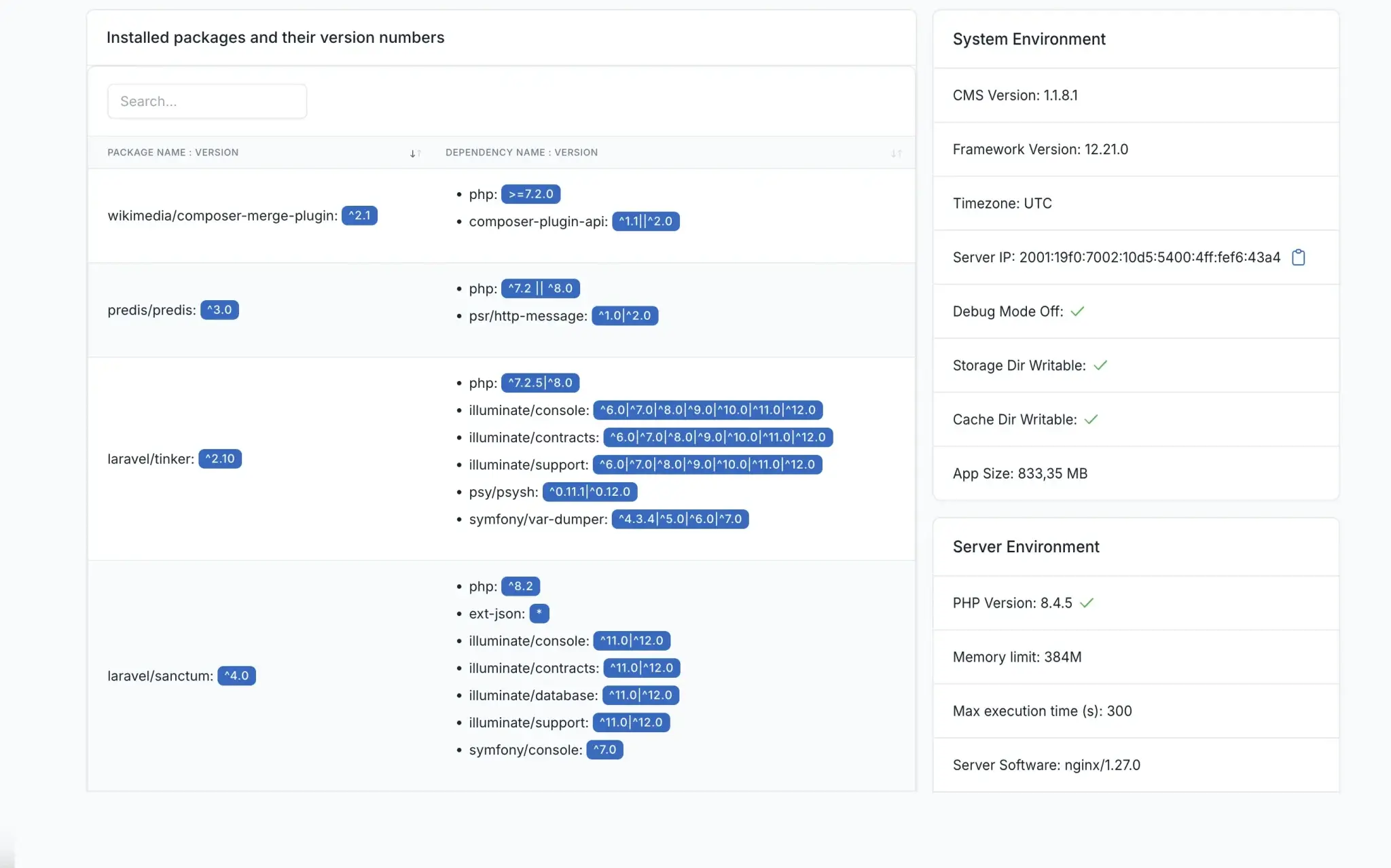
Version 1.1.8.1 (Requires PHP 8.2+)
- Added amenity categories
- Added miles/kilometers option
- Improved currency configuration
- New API endpoints for cars
- Email verification expiration settings
- UI and UX improvements
- Vendor dashboard bug fixes
Carento - Car Rental Booking Laravel System - v1.1.0 to 1.1.8.1
- Added car horsepower, coupon codes, booking tools, multi-vendor support, currency management, push notifications, car sales system, GDPR cookie updates, improved cache, sitemap enhancements, PHP 8.3 support, Laravel 12.x upgrade, and more.
You can view the full changelog inside the official Carento release notes, but the key takeaway: every version builds significant improvements — both under the hood and on the surface.
🔧 Our Update Strategy – What We Did and Why It Worked
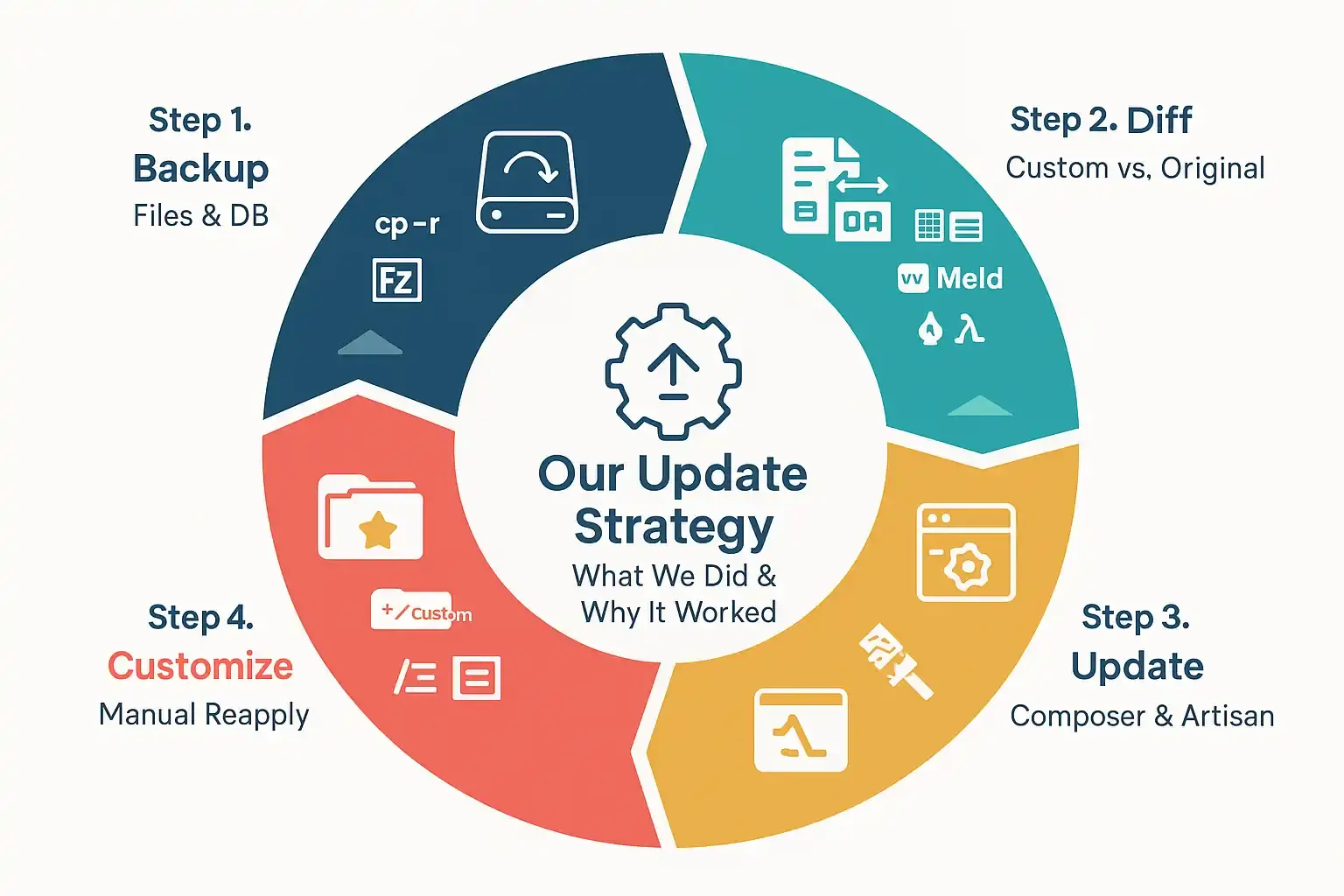
We recently updated a heavily customized Carento site from v1.1.0 to v1.1.8.1. Here’s a breakdown of our approach and the general steps we recommend:
✅ Step 1: Create a Backup
Never update without backing up everything — files and database.
- Tools:
cp -r(Linux/macOS), FileZilla (Windows), phpMyAdmin ormysqldumpfor DB.
✅ Step 2: Compare Original Files with Custom Ones
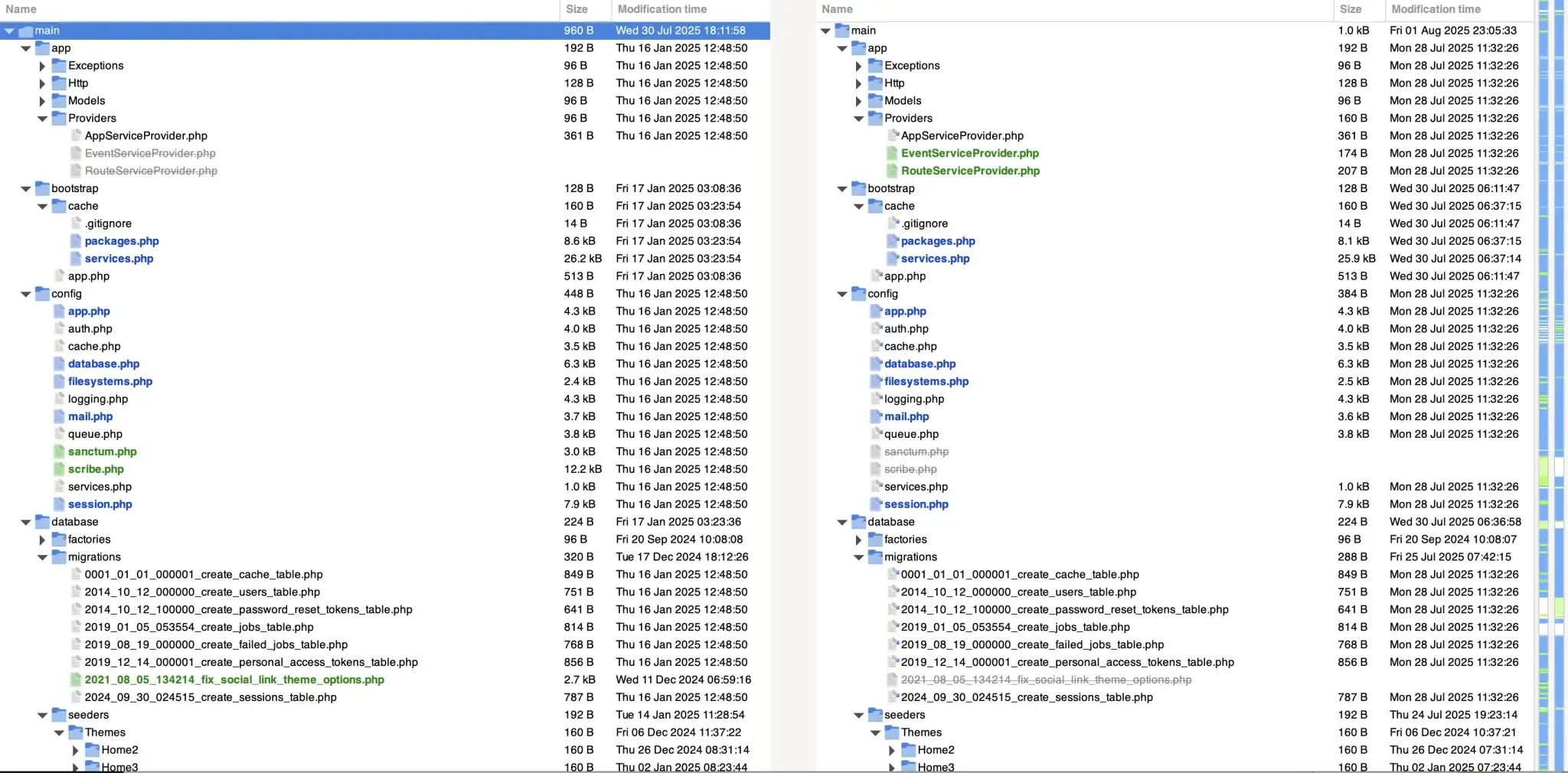
Because Carento may be downloaded and edited outside the official process, we used file diff tools to see what was changed.
🖥 Recommended Tools:
🟦 WinMerge (Windows)
- Easy drag-and-drop diff between folders.
- Highlights changed files in yellow.
- Shows line-by-line code differences.
- Free, fast, and ideal for beginners.
🟩 Meld (Linux/macOS/Windows)
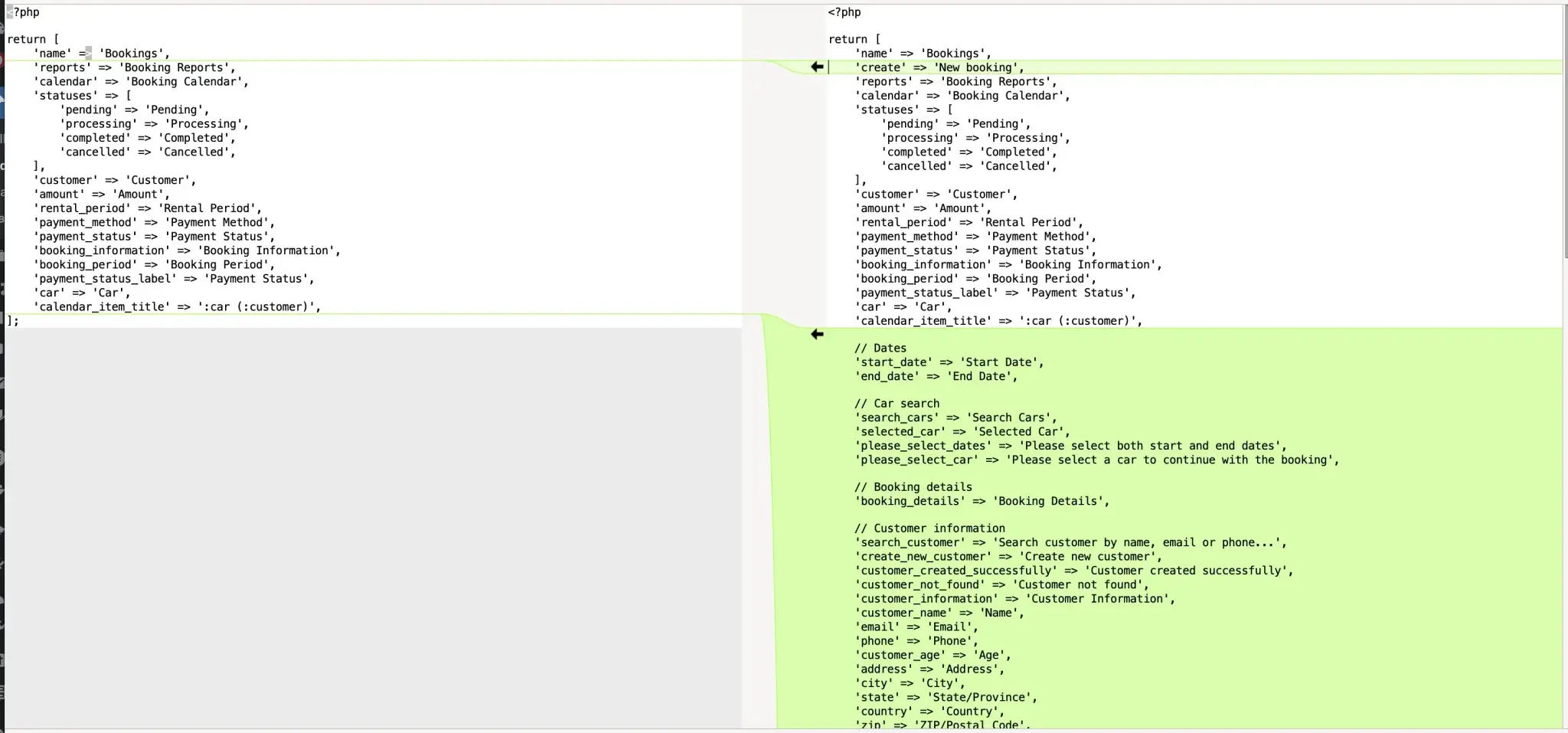
- Lightweight and clean interface.
- Folder or file-level comparison.
- Merge changes interactively.
🟥 Beyond Compare (All platforms)
- Professional-grade.
- 3-way merge, syntax highlighting, git-aware.
- Great for large codebases.
Other Mac Tools
- P4Merge, DiffMerge, Kaleidoscope (paid), KDiff3.
✅ Step 3: Update via Composer and Artisan
After comparing files, we used Laravel’s CLI tools to perform the update:
composer install --no-dev --optimize-autoloaderphp artisan migrate --forcephp artisan cache:clearphp artisan view:clear ⚠️ Note: It’s important to use --force with migrations on production — otherwise they won’t run.
✅ Step 4: Reapply Customizations Manually
This is the hard part. If you’ve added custom styling, logic, or modified controller logic — it might break after updating. We recommend:
- Keeping a folder of all custom code
- Using comments like
// Custom logic startin PHP/Blade - Keeping track of any overrides (especially theme Blade templates)
🧪 Challenges We Faced (and You Will Too)
⚠️ 1. Blade Templates Stop Responding
Sometimes, your updated file seems correct — but Laravel continues using cached old views. Fix:
php artisan view:clearAnd optionally, delete the /storage/framework/views folder.
⚠️ 2. Cached Config or Routes
Changing configs or currencies but nothing happens? Clear cache:
php artisan route:clear⚠️ 3. Theme Overwrites
Carento's theme system overrides views like car-item-grid.blade.php, style-1.blade.php, and components. Always check for conflicts between:
/platform/themes/carento/views/.../resources/views/vendor/.../resources/views/components/...
⚠️ 4. Currency Switching Not Working
Currency changes may not reflect if your system uses cached accessors or Blade doesn’t rerender. Be sure to:
- Use
get_application_currency()in accessors - Avoid hardcoded currency values
- Dump currency info for debug:
<pre>{{ get_application_currency() }}</pre>🛡️ Final Advice: Make Updates Safe & Repeatable
Whether you're managing a client's website or using Carento yourself, updates can quickly get messy. Here are our pro tips:
✅ Always use version control (Git) ✅ Use comments to document custom changes ✅ Track all edited files ✅ Use visual diff tools BEFORE copying anything ✅ Test on a staging environment
Expert Help Updating Carento: Real Insights from the Field
Discover exactly how to manage and optimize your Carento Laravel system the right way. From structured upgrade steps to resolving conflicts and maintaining live performance—this is your roadmap for smoother rollouts, cleaner codebases, and more reliable bookings.