


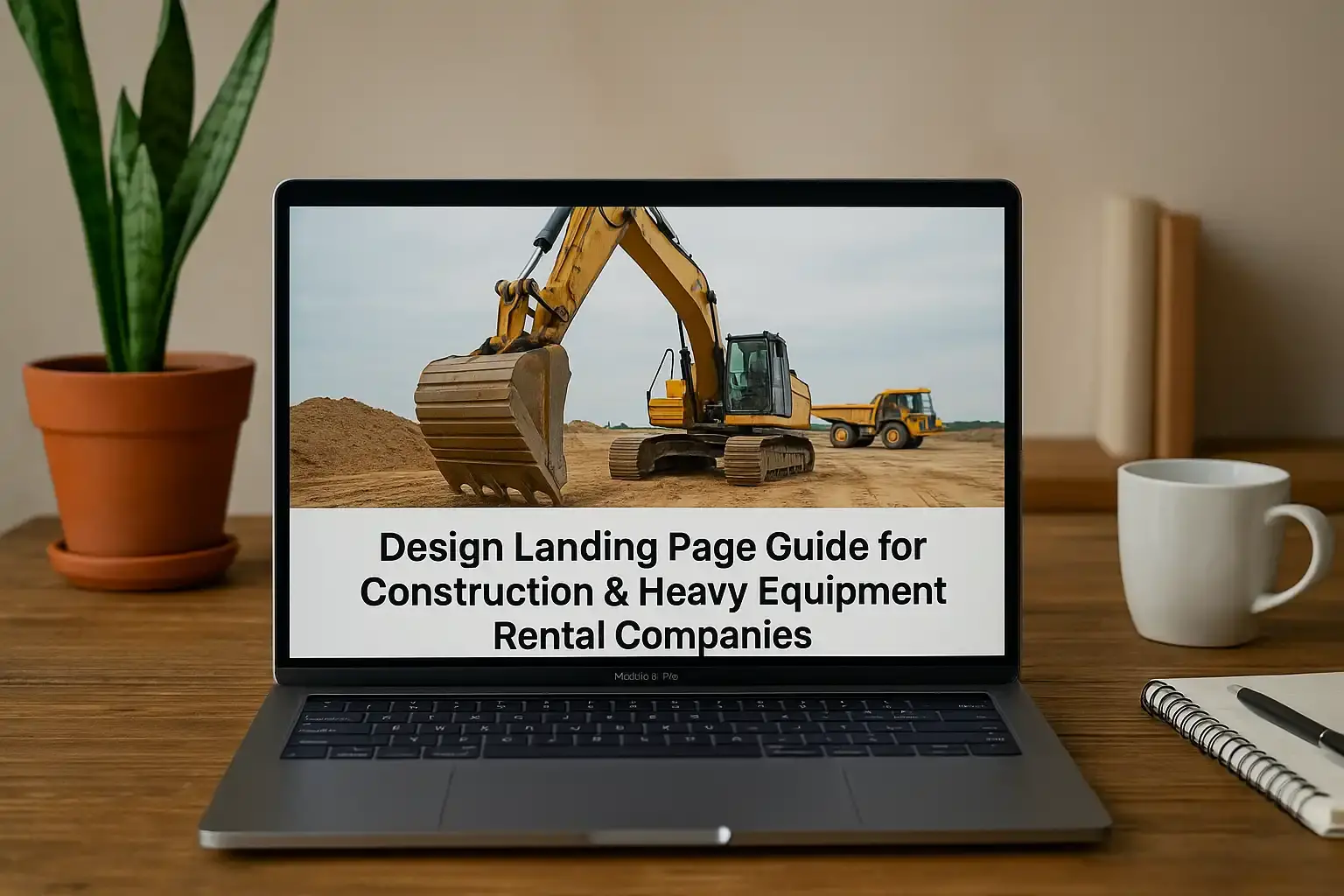
Learn how to design landing page that drives leads. Discover proven strategies, best practices, and tools to create high-converting landing pages for your business.
Expert Tips to Design Landing Page That Converts Visitors Fast
Introduction: For construction companies and heavy equipment rental businesses, a strong online presence means more qualified leads and projects. One of the most effective ways to convert website visitors into customers is through a dedicated landing page. Unlike a general website homepage, a landing page zeroes in on a single goal – turning a click into a lead or sale by guiding visitors toward a specific action. In this guide, we’ll explore how to design landing page experiences that attract clients, drive conversions, and ultimately generate more business for construction and equipment rental companies.
Owners and CEOs in the construction industry often invest in advertising (like Google Ads or social media campaigns) to reach new clients. But sending ad traffic to a generic homepage can be a missed opportunity. A tailored website landing page design for each campaign or service can dramatically boost your lead conversion rates while reducing your cost-per-lead. In fact, companies that increased their number of landing pages from 10 to 15 saw a 55% increase in leads. The takeaway is clear: the more targeted landing pages you deploy for your various services (excavation, crane rental, project management, etc.), the more opportunities you create to convert visitors into inquiries. It’s not about having a bigger website – it’s about smart landing page design that speaks directly to what your potential clients are looking for.
Landing Page vs. Website: What Sets Them Apart?
You might be wondering why you need a separate landing page when you already have a website. Simply put, a landing page is a single, focused web page created for a specific marketing goal, whereas your main website contains broader information about your business. To illustrate the differences, here’s a comparison:
| Aspect | Landing Page (Dedicated Lead Page) | Standard Website Homepage |
|---|---|---|
| Purpose | Focuses on one goal (e.g., request a quote, book equipment rental) for a specific campaign or service. All content drives toward that action. | Provides general information about the company and all services, with multiple navigation paths. |
| Content & Messaging | Highly targeted to one audience or service landing page design (e.g., “Bulldozer Rental in Dallas – Get a Free Quote”). Addresses a specific pain point or offer. | Broad messaging about the company (history, mission, full range of services) not tailored to one offer. |
| Call-to-Action | Prominent, single call-to-action (CTA) – such as “Request a Free Project Estimate” – with a button or form. Minimal or no other links, to avoid distractions. | Multiple CTAs and links (e.g., “Our Services,” “About Us,” “Contact”) which encourage browsing various pages rather than focusing on one conversion goal. |
| Navigation | Often no top menu or very limited links. Users either convert or exit, keeping them focused on the page’s goal. | Full site navigation menu present, allowing exploration of different sections (which can distract from a single offer). |
| Traffic Source | Visitors usually arrive from a specific ad, email, or search query that the page is optimized for. The landing page’s content matches the message that brought them in. | Visitors may come from anywhere (search engines, social media, direct URL) looking for general information. They aren’t pre-focused on one particular offer. |
| Design | Streamlined design with one message – often includes a clear headline, a quick value proposition, relevant imagery, a lead form, and trust indicators related to the offer. | Comprehensive design reflecting overall brand and all offerings. May have slideshows, multiple sections, and lots of info, which can be overwhelming for ad-driven visitors seeking one solution. |
As the table shows, landing pages eliminate “noise” and give prospective customers a clear path to conversion. If someone clicks an ad about excavator rental, a dedicated landing page about excavator rentals will show exactly that – perhaps an image of an excavator at a job site, a headline like “Fast, Reliable Excavator Rentals in Your Area,” a few bullet points on why your service is excellent, and a call-to-action button front-and-center. There’s no menu to wander through or other services to read about. By tailoring a page to each key service or campaign, you ensure the message matches what the visitor came for, which boosts trust and conversion rates.
Why Dedicated Landing Pages Matter for Construction & Equipment Rentals
In the construction and heavy equipment industry, your services are often diverse – from general contracting and project management to specific equipment rentals (cranes, earth movers, scaffolding, etc.). Having a dedicated landing page for each major service allows you to speak directly to the needs of that segment of your audience. For example, a potential client looking to rent a bulldozer has different concerns than someone who needs construction project management. In other words, design landing page content that speaks directly to each service or client type to maximize relevance.
Dedicated landing pages also improve your marketing effectiveness. If your ad promises “Affordable Crane Rental in Los Angeles,” you’ll want the click to lead to a page that delivers on that promise immediately. A focused landing page will highlight your Los Angeles crane rental service, show photos of cranes in action, list advantages (e.g., certified operators, on-time delivery, safety first), and invite the user to “Get a Quote for Crane Rental” via a simple form. This tight message match can increase conversion rates and lower your cost per lead because visitors find exactly what they expected. When you design landing page content to mirror the ad’s message, visitors feel at ease and are more likely to convert.
Statistics also back the use of multiple landing pages. Companies with 30 or more landing pages generate seven times more leads than those with only a handful. Essentially, if you design landing page variations for each customer segment or service, you cast a wider net to capture leads from each niche. Each landing page can be optimized for a specific keyword or audience – for instance, “commercial concrete services” or “residential construction project management” – bringing in highly targeted traffic.
(We’ll skip a detailed discussion of analytics here, but it’s worth noting that landing pages also make it easy to measure campaign success: you can track form submissions and see exactly which ads or channels produce the most leads.)
Key Elements of High-Converting Landing Page Design
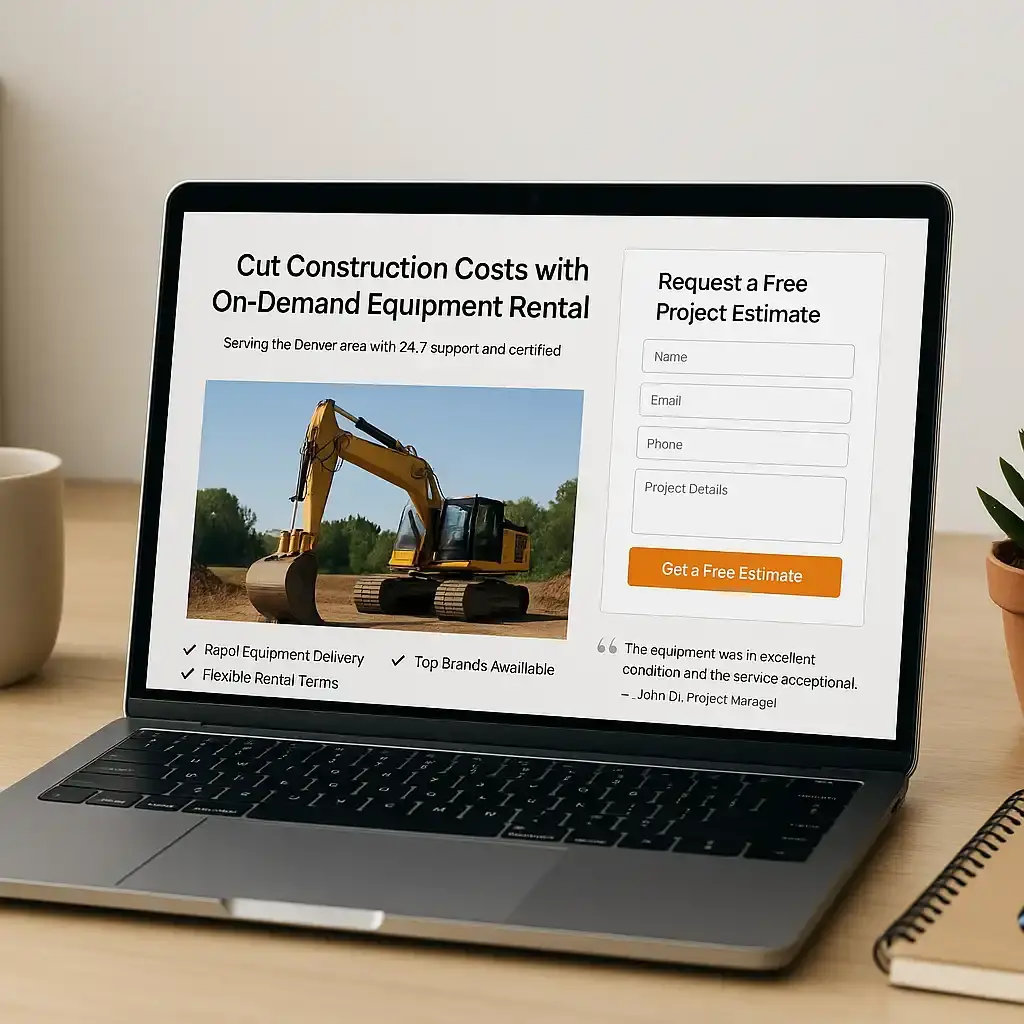
Designing a landing page that actually converts visitors into leads requires attention to a few critical elements. Below are the key components of effective landing page design services for construction and equipment rental businesses, along with best practices for each:
Compelling Headline & Value Proposition
The first thing a visitor sees should be a clear, concise headline that tells them exactly what you offer and how it benefits them. In one bold sentence, answer the question in their mind: “What’s in it for me?” For example, a strong headline might be “Cut Construction Costs with On-Demand Equipment Rental”. The headline should align with the ad or email that brought the visitor in. A subheading can then provide a bit more detail or a unique selling point – e.g., “Serving the Denver area with 24/7 support and certified operators.” Make sure your value proposition addresses a pain point (e.g., project delays, high equipment costs) and offers a solution (e.g., rapid equipment delivery, expert project oversight). A focused headline keeps visitors on the page by immediately signaling that they’re in the right place.
Strong Visuals and Branding
In the construction field, visuals carry a lot of weight. High-quality images on your landing page can instantly convey professionalism and the scope of your work. Use relevant pictures: photos of your equipment on a job site, a completed construction project, or your team in action wearing safety gear. Such visuals help visitors imagine their own project success with your help. Make sure images are clear and optimized for web so they don’t slow down the page. Also, maintain consistent branding (colors, logo, fonts) to reinforce that the page is part of your company. A cohesive design builds credibility. If you have a before-and-after photo of a project or a short clip of your machinery in action, those can be powerful – just ensure any multimedia is directly related to your message and doesn’t hamper page load time.
Clear Call-to-Action (CTA) Buttons
A landing page’s success hinges on a clear call-to-action. After you’ve hooked the visitor with a strong headline, solid copy, and visuals, you need to tell them what to do next. Common CTAs in construction and rental business pages include buttons like “Request a Quote”, “Get a Free Estimate”, or “Contact Us Today”. Make your primary CTA button stand out – use a contrasting color (that still fits your branding) and place it prominently near the top of the page, as well as again after some information for those who scroll. The wording should be action-oriented and specific (notice phrases like “Get a Quote” imply the visitor will receive something of value). Also, keep it simple: focus on one primary CTA. You might repeat the same CTA in a couple of places, but avoid giving multiple different actions that could confuse (don’t ask users to Get a Quote and Download a Brochure and Subscribe on one page). Each CTA click should ideally lead to your form or a dedicated contact method.
Lead Capture Form Optimized for Conversions
Most landing pages include a form to collect visitor information – this is your lead capture mechanism. A best practice is to keep the form as short as possible while gathering essential info. For construction leads, a typical form might ask for Name, Email, Phone, and a brief Project Details message or a dropdown for Service Needed. The more fields you add, the more friction you introduce, which can reduce submissions. Ensure the form is placed prominently – often near the top of the page or as a sticky element when the user clicks the CTA button. Use an inviting header for the form section too, like “Request a Free Project Estimate” or “Contact Us for a Quick Quote”, to remind users what they’re getting. It can also help to mention privacy reassurance near the form (e.g., “We respect your privacy and will not share your information.”). A clean, simple form makes it more likely that visitors will complete it, turning into leads.
Trust Signals: Testimonials, Ratings, and Credentials
To convince a cautious business owner or contractor to reach out, your landing page must establish trust quickly. One effective way to do this is by adding testimonials or client quotes from past satisfied customers. For example, include a short quote like: “The team was professional, the equipment was top-notch, and our project stayed on schedule. – John D., Project Manager”. If you’ve worked with prominent clients or projects, show their logos or a brief case study snippet – this implies that others trust your services. You can also display badges or certifications: for instance, Licensed & Insured, OSHA Certified, BBB A+ Rating, or any industry awards your company has won. These elements (often placed near the bottom or sidebar of the page) provide social proof and reduce the perceived risk for visitors. Seeing logos of well-known companies you’ve served or reading a quick success story makes new visitors more comfortable with the idea of doing business with you. Social proof is powerful – it assures prospects that your company is reliable and delivers on promises.
Mobile-Friendly & Fast-Loading Design
Many of your target prospects – think busy project managers or contractors out in the field – will view your landing page on a smartphone. That means your landing page design must be mobile-responsive and fast. Ensure that all elements (text, images, buttons) automatically adjust to smaller screens. The content should be easy to read without pinching and zooming, and buttons should be large enough to tap with a thumb. Mobile-friendliness isn’t just crucial for user experience; it also affects SEO, since Google favors mobile-optimized pages in search results. Equally important is page speed. If your landing page is slow to load, visitors may abandon it – research indicates even a one-second delay can reduce conversions by 7%. To keep the page speedy, use compressed images, minimize heavy scripts or embeds, and consider using a fast hosting provider. Testing your page on multiple devices and using tools like Google PageSpeed Insights or GTmetrix can help identify any bottlenecks. The goal is to have a page that loads in just a few seconds and provides a smooth experience, whether someone is viewing it from a desktop at the office or a phone on a job site.
Practical Strategies to Design Landing Page That Converts
Understanding the elements is one thing; implementing them strategically is another. Here are practical strategies to ensure your landing page actually converts visitors into leads for your construction or equipment rental business:
- Emphasize Benefits Over Features: When crafting your landing page copy, focus on the benefits to the customer, not just the features of your service. For instance, rather than simply stating “We have a fleet of 50+ modern machines,” translate that into a benefit like “Modern equipment – meaning fewer breakdowns and faster work, so your project stays on schedule.” Go through your landing page copy and make sure you’re spelling out the benefit of each point. This approach directly addresses the client’s pain points (e.g., avoiding delays, saving money) and shows how you’ll solve them. It’s much more compelling to say “finish jobs 20% faster with our equipment” than just “our equipment is new.”
- Use Visual Hierarchy & Easy-to-Skim Layout: Most visitors will scan your landing page before reading it in detail. Structure the page so it’s easy to absorb key info quickly. Use clear headings for each section (like the ones in this guide), bullet points for lists of features or benefits, and short paragraphs (2–3 sentences each). Important points or phrases can be bolded for emphasis (sparingly). Also, leave some white space between sections – a cluttered page can overwhelm and turn away visitors. A clean, well-organized layout ensures that even a busy contractor who’s glancing at your page can quickly catch the main message and CTA without feeling lost. On a similar note, keep any critical information (like your main selling point and form or CTA) above the fold – visible without scrolling – so no one misses it.
(Additional strategies like A/B testing different versions of your page or creating a sense of urgency with limited-time offers can also help, but those might be steps to consider after implementing the basics above.)
Technical Landing Page Creation: Tools, Platforms, and Code Insights
Designing a great landing page isn’t just about theory – you also need the right tools and technical approach to bring it to life. Fortunately, you don’t have to start from scratch. Here are some technical considerations and popular solutions for creating landing pages, followed by a couple of code snippet examples to illustrate common features:
Choosing a Platform: Many businesses opt for user-friendly platforms like WordPress for landing pages. WordPress landing page creation is popular because of its ease and flexibility – you can use drag-and-drop page builder plugins (such as Elementor or Divi) to craft a page visually without coding. WordPress also offers countless templates optimized for landing pages. If you prefer not to use your main website’s infrastructure, there are dedicated landing page services like Instapage, Unbounce, or Leadpages. These platforms specialize in hosting landing pages and provide high-converting templates plus built-in analytics and testing tools. The advantage of such services is speed – you can often launch a page in hours – but they come with a monthly cost. On the other hand, a custom-coded page (HTML/CSS/JS) hosted on your own site gives you maximum control over design and performance, though you’ll likely need a developer or a landing page design agency for that.
Custom Development & Speed Optimization: If you have web development resources, creating a static HTML/CSS page ensures full control and often the fastest load times. You can strip out unnecessary scripts, use clean code, and host the page on a fast server – all of which help the page load quickly for visitors. Even if you use WordPress or another CMS, pay attention to not overload the page with heavy themes or plugins. A lean approach (using just what you need for that page) is ideal. Many agencies or developers will create a simplified template for your landing pages that removes the regular site’s navigation menu and other distractions, ensuring focus and speed. Also, integrate your landing page with your other tools: for example, set up the form to send leads directly to your email or CRM, and install analytics (like Google Analytics or Facebook Pixel) to track conversions. These technical integrations will help you measure and improve your page’s performance.
Now, let’s look at two simplified code snippets that demonstrate common landing page elements – a contact form and a styled CTA button. (You do not need to implement these yourself, but they show the kind of behind-the-scenes work a developer or platform might handle.)
Example HTML Lead Form
Below is a basic HTML form that could be used on a landing page to capture leads. It collects a name, phone number, and includes a submit button:
<form action="/contact" method="post">
  <label for="name">Name:</label>
  <input type="text" id="name" name="name" required>

  <label for="phone">Phone:</label>
  <input type="tel" id="phone" name="phone" required>

  <input type="submit" value="Get a Free Quote">
</form>
What this code does: It creates a form with two input fields (for Name and Phone). The required attribute ensures the fields must be filled before submission (basic validation). The submit button is labeled “Get a Free Quote” to remind the user of the benefit. The form’s action="/contact" and method="post" would send the data to a server script that emails you the info or saves it to a database. In a WordPress site, a plugin might handle this for you. The form itself would be styled with CSS to match your page’s design (e.g., making the input boxes and button larger and aligned nicely).
Example CSS for a Call-to-Action Button
To make sure your call-to-action button stands out, you’ll use CSS. Here’s a snippet that styles a button with a class “cta-button” – giving it a bold color, padding, and a hover effect:
.cta-button {
  background-color: #FF9900; /* bright orange for visibility */
  color: #ffffff;
  padding: 15px 30px;
  font-size: 1.1em;
  font-weight: bold;
  border: none;
  border-radius: 5px;
  cursor: pointer;
}
.cta-button:hover {
  background-color: #e68a00; /* slightly darker on hover */
}
In your HTML, you would apply this class to your CTA element. For example:
<button class="cta-button" type="button">Request a Quote</button>
This CSS makes the button a vibrant orange rectangle with white text – a combination that usually contrasts well and draws the eye. The padding and font size make it large enough to notice easily. The hover style (darker orange) provides a visual feedback when a user hovers or taps the button, indicating it’s interactive. The rounded corners and no border give it a modern look. All these little design choices help ensure that the CTA isn’t missed by visitors.
Why Use Professional Landing Page Design Services?
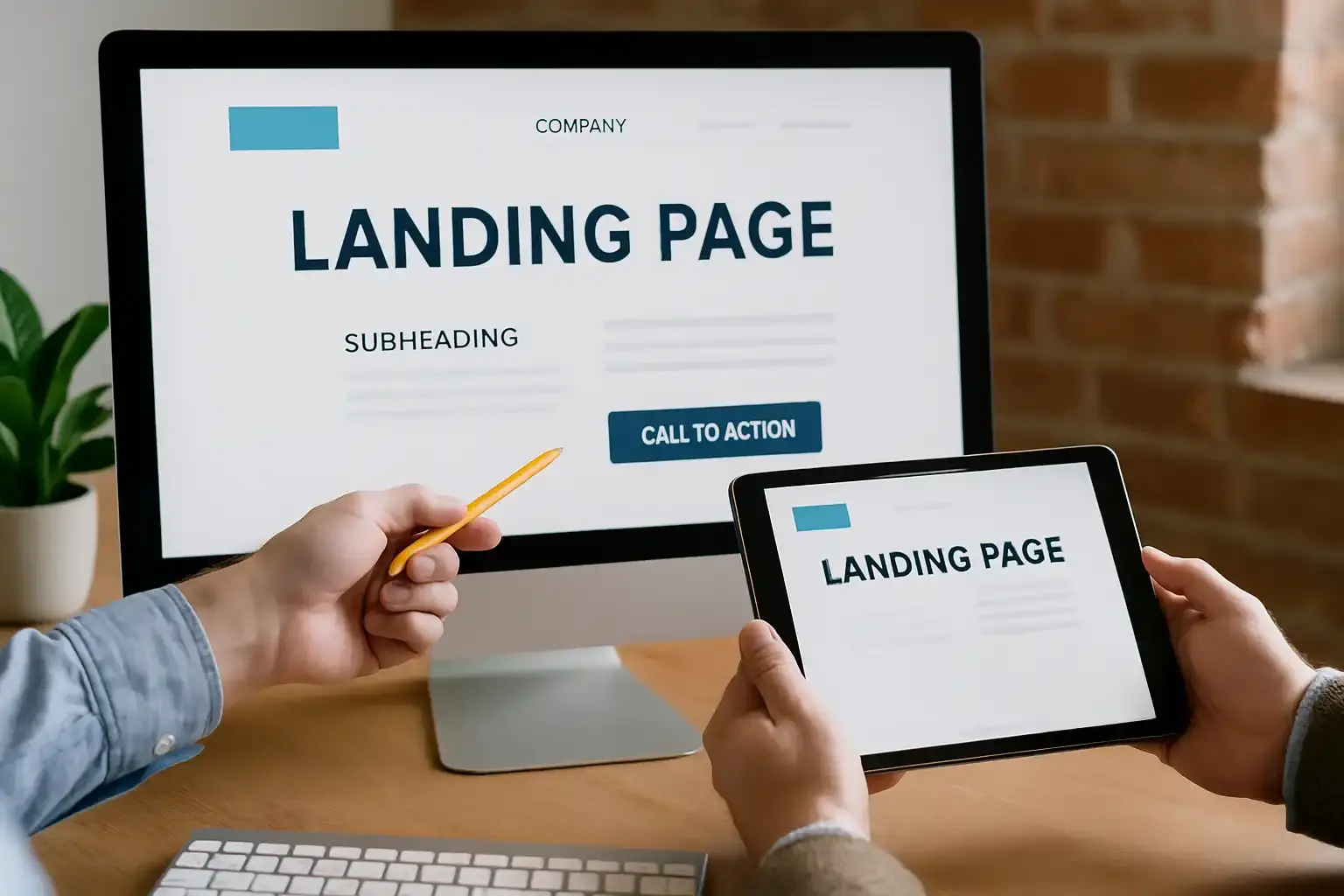
You may be thinking, “This is a lot of work – do I really need expert help to build my landing pages?” While some companies handle it in-house, many owners and CEOs find that partnering with a professional service or landing page design agency pays off significantly. Here are some benefits of using professional landing page design services:
- Conversion Expertise: Professional designers and copywriters who specialize in landing pages know the science behind conversions. They understand how to arrange content, choose colors, and craft copy to maximize engagement. Instead of guessing, you’re leveraging proven techniques. In short, they know how to design landing page elements that convert.
- Save Time & Focus on Your Business: Designing and testing a landing page can be time-consuming if you’re not familiar with it. As a busy executive, your time is better spent managing projects and serving clients, not tweaking web pages. Hiring professionals lets you offload the technical and design burdens. They can often produce a polished landing page design faster than you could learn to do it yourself. This means your page (and marketing campaign) goes live sooner, and you start getting leads faster.
- Quality Design and Trust: First impressions matter online. A well-designed landing page makes your company appear professional and trustworthy. On the other hand, a DIY page that looks outdated or inconsistent might turn potential clients away. Studies show a site’s design contributes 75% of its credibility – people do judge the book by its cover on the web. Professionals will ensure your landing page looks clean, modern, and in line with your brand (logo, colors, style), which helps build trust with visitors. Essentially, they help present your business in the best possible light, which can increase the chances of a lead converting.
- Technical Optimization: Experienced services handle all the behind-the-scenes details that make a landing page perform well. This includes optimizing images and code for fast loading, setting up the page to be mobile-responsive, ensuring you have HTTPS for security, and integrating any analytics or tracking pixels you need. They’ll also test the page on different browsers and devices. All these technical steps mean you get a page that not only looks good but also functions smoothly – and you don’t have to worry about the tech stuff.
- Ongoing Improvement: Top agencies don’t just launch your page and leave it – they can help monitor the page’s performance and make adjustments over time. For example, they might run A/B tests on different headlines or images to see which yields a higher conversion rate, then update the page accordingly. This continuous optimization can significantly boost your landing page’s success. It’s like having a partner who’s always fine-tuning your marketing asset to get you the best results.
In summary, while you can create a landing page on your own, investing in professional landing page design service can bring a level of polish and effectiveness that might be hard to achieve otherwise. It ensures your landing page not only looks professional but is also structured to convert visitors at a high rate. The benefits – more leads, more contracts, and a stronger online presence – often far outweigh the costs. It’s a smart marketing investment, letting you reap the rewards of more leads without having to divert your own team’s time and effort into the nuances of web design and conversion optimization.
Our Landing Page Design Services Include:
- Custom website landing page design – Tailored layouts and content to fit your construction business’s brand and target audience, rather than using one-size-fits-all templates.
- Complete landing page creation – End-to-end service from initial concept and copywriting to design, development, and launch of your landing page.
- WordPress landing page creation – Building landing pages within WordPress for easy editing and seamless integration with your existing website.
- Optimized & data-driven pages – Our pages are SEO-friendly, fast-loading, and set up with analytics; we can also conduct A/B tests to continually improve conversion rates.
(By using professional services like ours, you get to skip the trial-and-error and head straight to a high-converting page that brings in business.)